
Claude Resume Builder.Built around the workflow.
Claude writes well. A resume editor turns that writing into an ATS-ready PDF, tailored to the job, scored for hiring managers, and paired with a matching cover letter. Use Claude inside the editor instead of as a tab next to it.

Tailor your resume to a job description
Personal Details
Professional Summary
AI-tailored opening paragraph
Experience
Work history, roles, and achievements
Lead portfolio of digital transformation projects with combined budget of $15M.
Manage cross-functional teams of 25+ members across 5 departments.
Implemented PMO best practices reducing project delivery time by 30%.
Education
Schools, degrees, and academic details
Skills
Keywords matched to the role
Certifications
Professional certifications, licenses, and accreditations
Project Management Professional (PMP)
Project Management Institute · Jan 2020 - Present
Certified Scrum Master (CSM)
Scrum Alliance · Jun 2021 - Jun 2025
Languages
Languages you speak and your proficiency level
English
Fluent
French
Intermediate
Projects
Personal, professional, or academic projects
Enterprise Digital Transformation
Led company-wide initiative impacting 5,000+ employees.
Activities
Volunteering, interests, and extracurricular achievements
PMI Chapter Leader
Organizes monthly knowledge sharing sessions and mentors aspiring project managers.
References
People who can vouch for your qualifications and work
David Chen
Director of PMO, TechForward Solutions · david.chen@email.com
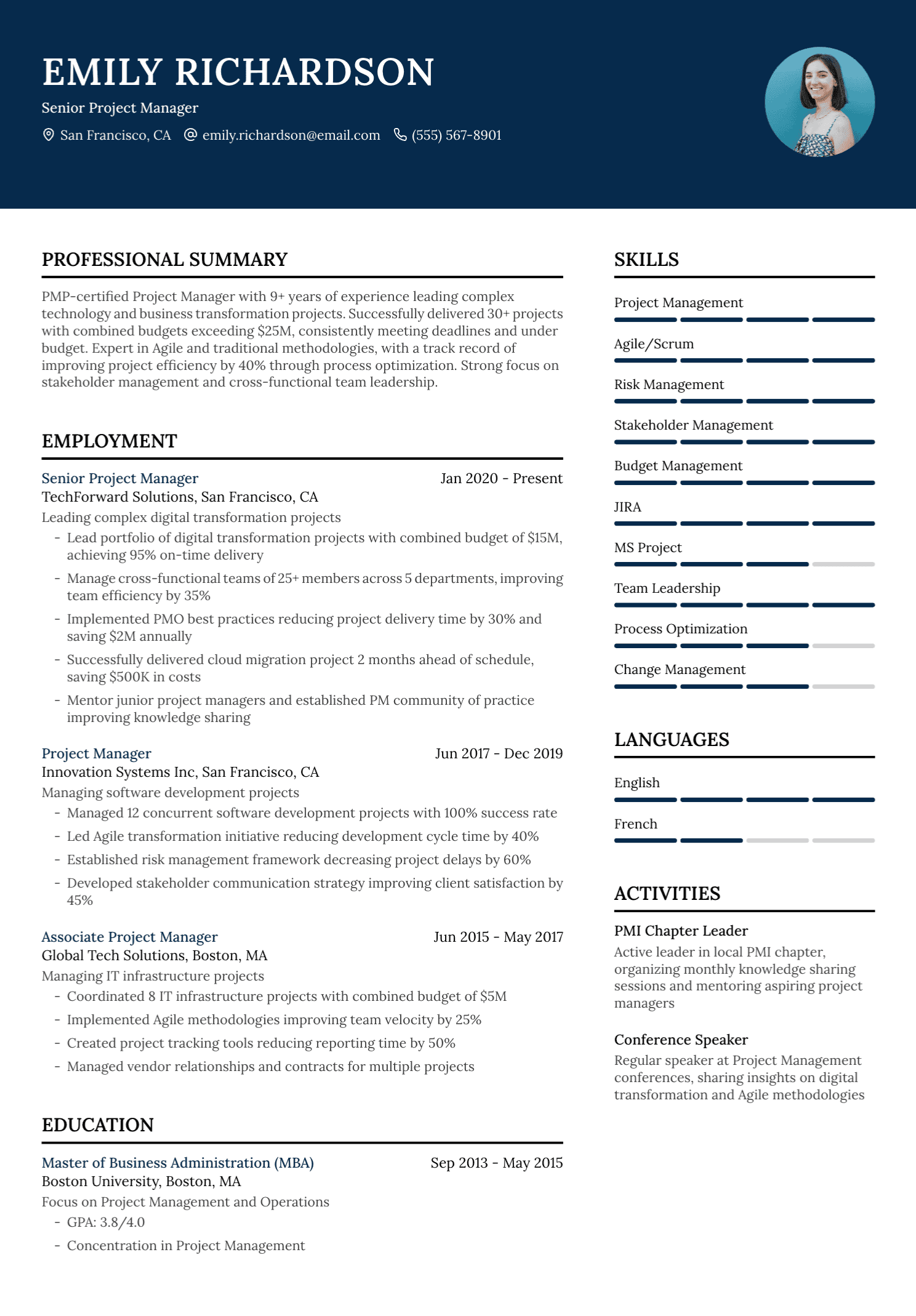
Claude is a great writer. A resume is more than just the writing.
You can paste your work history into Claude and ask for a resume. The output is good prose. But the resume that lands you an interview is not just prose. It is parseable structure, ATS-readable formatting, aligned keywords, measurable bullets, a matching cover letter, and a version history per role. UseResume gives you Claude as the writer inside an editor that handles everything around it.
Claude in a chat tab vs. Claude in a resume editor
Same writer, different surface area. The editor handles the parts of the workflow Claude on its own does not.
| Capability | Claude.ai chat | UseResume Builder |
|---|---|---|
| Long-form writing assistance | ||
| ATS-friendly templates tested by real applicants | ||
| Resume-specific editor with live preview | ||
| Pasteable job description with keyword matching | ||
| Resume score across 37 signals | ||
| Saved versions for different roles | ||
| Polished PDF export with consistent formatting | ||
| Matching cover letter pulled from your resume |
How the Claude-powered builder works
From upload to ATS-ready PDF in one editor.
Upload your resume or start from a guided draft
Import a PDF or DOCX, pull from LinkedIn, or answer the editor's prompts. The AI parses your experience into editable sections so you are not starting on a blank page.
Paste the job description
The AI extracts the keywords, seniority signals, and stack the role calls for. You see what matches your resume and what is missing, side by side.
Let the AI rewrite weak bullets
Vague responsibilities become measurable, verb-led achievements. Every suggestion is editable before it lands in your resume. You keep what works and skip what does not.
Pick an ATS-ready template, then export
Choose a clean, single-column template that ATSes parse without errors. Export PDF, generate a matching cover letter, and save the version for next time.
Claude resume builder FAQs
Common questions about using Claude for resume writing.
Can I use Claude directly to write my resume?
You can. Many job seekers paste their work history into Claude and ask for a resume. The output is decent prose, but you still need to handle the rest of the workflow yourself: turning prose into a parseable resume PDF, picking an ATS-friendly template, aligning to a specific job description, scoring for ATS readability, version control across multiple roles, and producing a matching cover letter. UseResume gives you a Claude-powered editor that handles all of that in one place.
How is this different from the Claude.ai web app?
Claude.ai is a general-purpose chat. Every conversation starts blank. UseResume is a resume-specific editor with structured sections (Experience, Skills, Education, Projects), ATS-friendly templates, job-description tailoring, a 37-signal resume scorer, version saves, and PDF export. The AI inside is tuned to the patterns hiring managers and ATSes care about, instead of giving you generic writing.
Does the AI inside UseResume use Claude?
UseResume uses a multi-model AI layer that includes Claude alongside other frontier models. We pick the right model for the right task: Claude tends to handle long-form rewriting and summary work well, while other models score better on structured extraction and keyword matching. You get the strengths of each model without managing prompts yourself.
Will the AI exaggerate my experience?
The AI only rewrites what you give it. If you describe a task, it sharpens the verb and pushes you to add a metric. If a metric is not there, it asks for one rather than inventing it. Every suggestion is editable before it lands in your resume.
Can I tailor a resume to a specific job description?
Yes. Paste the job description and the AI extracts the keywords, skills, and seniority signals the role asks for. It then rewrites your bullets to align with that language and surfaces matched and missing keywords side by side.
Is the resume ATS-friendly?
Yes. The templates use clean section headings, no tables, no text boxes, and no decorative graphics. The output parses cleanly through Greenhouse, Lever, Workday, Ashby, iCIMS, and Taleo.
Can I import my existing resume?
Yes. Upload a PDF or DOCX and the parser pulls your work history, education, skills, and projects into editable sections. From there the AI can rewrite, tailor, or expand any part.
Why not just keep using Claude in a tab while I write the resume?
You can. The cost of doing so is the friction of moving back and forth: copying job descriptions into chat, copying bullets back, then rebuilding a clean PDF in Word or Google Docs. UseResume collapses that into a single editor where the resume, the AI, the templates, and the export live together.
Does it generate matching cover letters?
Yes. After the resume is built, generate a cover letter against the same job description. The cover letter pulls from the experience already in your resume, so the application reads as one coherent story instead of two disconnected documents.
Build a resume with Claude inside the editor
Import your resume, paste the job description, and let the AI do the heavy rewriting. You keep control of every line.
Free to start. No credit card.